


We have rolled out a few updates to the SCOUT Assistant to improve how you save your insights to projects.
Faster project saving
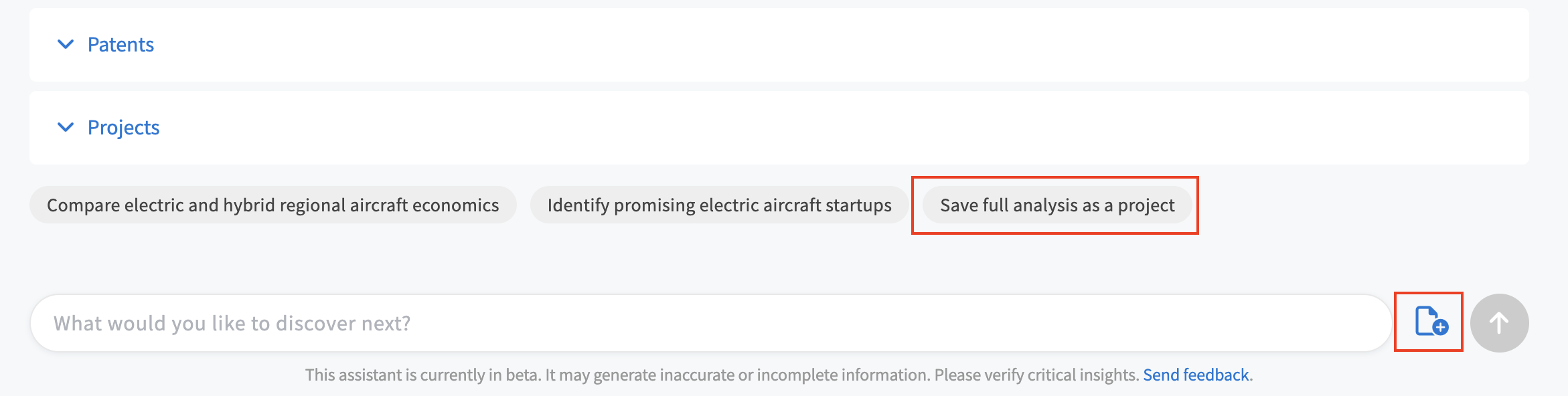
You no longer need to wait for the suggested save button to appear. A dedicated saving button is now permanently anchored next to the search bar. The moment your insights load, simply click the button to instantly create your project.
Save your input
You can now save your original prompts alongside the generated insights to preserve the full context of your analysis. In this initial release, this feature is command-driven. When you are ready to save, explicitly instruct the SCOUT Assistant with a prompt like: "Save full analysis to projects, including my input." Your original messages will be captured in the project and styled in italics to clearly differentiate them from the SCOUT insights.
Improved saving reliability
We received feedback that some users experienced dropped data when attempting to save large sets of generated insights into a single project. We have upgraded the underlying background processes to eliminate this issue and ensure complete, unified project saves.
We look forward to your feedback on these new features and fixes!
Learn more: Getting started with the SCOUT Assistant.